
 Invoicing
 Expenses
 Banking
 Payroll
 Inventory
 Accounting
 Contact Management
 Time Billing
 Data Management
 Contact Support
 Knowledge Base
 AccountEdge University
 Find an Expert
Many switchers choose to start their AccountEdge file from scratch, excited by the opportunity to move forward with a clean slate. But, if you wish to convert some of your accounting data, there are options. Watch our video to learn more.

Get Started with AccountEdge
We’re here to help you begin with confidence. Explore our online resources below.

AccountEdge University
Watch guided videos and learn about key features to tailor the software to your specific business

Convert Your Data
Many customers choose to start fresh, but some like to bring over existing data

We're Here to Help
Learn how our support team can help you get answers to your questions
Step-by-Step Instructions
Starting with a new software can feel like a lot, so we gathered some of our most helpful resources to help you get started.
1) Install and Register AccountEdge
Setting up AccountEdge is quick and easy, simply download and install the software on your computer to start using it today.
Haven’t enrolled yet? No problem – you can try AccountEdge free for 30 days and register whenever you are ready.
Our Install and Register AccountEdge FAQ will go step-by-step through your AccountEdge installation, plus includes tips to ensure a smooth setup.
2) Create a New Company File
Creating your company file in AccountEdge is quick and simple. The New Company File Assistant guides you through a few interactive steps, helping you set up your fiscal year, accounting periods, and account list in just minutes.
Not sure where to begin? You can use a predefined chart of accounts, import one from another system, or build your own. You can always make changes later.
For a smooth setup, our Create a Company File guide walks you through each step and highlights what you should have ready before you begin.
3) Easy Setup Assistant
Set your preferences now to make future transactions faster and more efficient.
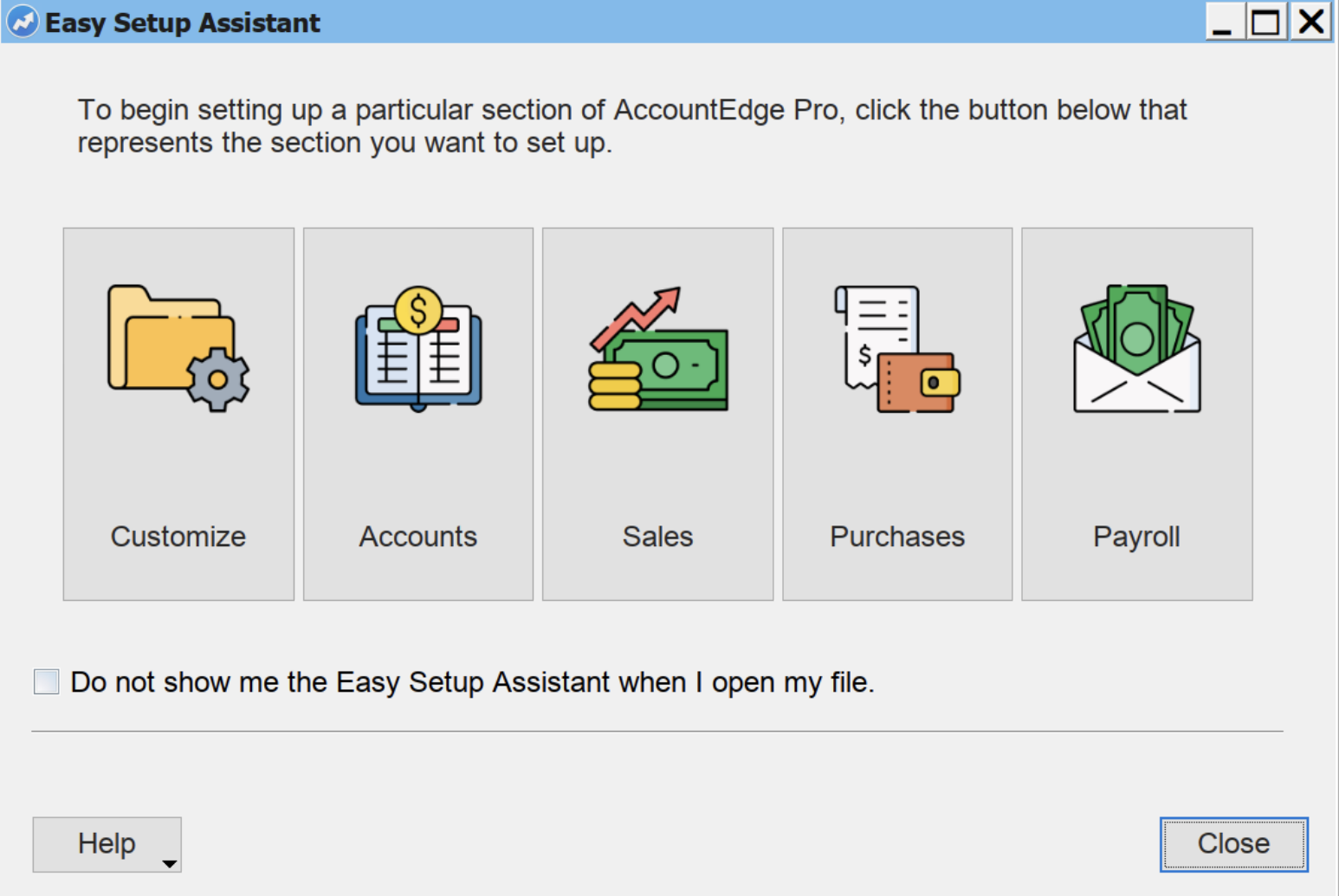
The Easy Setup Assistant guides you through key settings for your Accounts, Sales, Purchases, Payroll, and overall Company File preferences so you can get the most out of AccountEdge from day one.
4) Setting Up the Things You Sell
Add the products and services your business offers. Create items with full inventory support, set up service activities for time billing, or import your existing lists from other software.
Go to Step 4
5) Popular Add On Services
Now that your company file is set up, you can enhance AccountEdge with add on services that help your business run smoothly.
Whether you need to process payroll, accept payments, access key features from the web, or integrate AccountEdge with your banks online, AccountEdge has flexible options to support your workflow.
6) Ongoing Best Practices
Your company file stores all of your critical accounting data, so regular maintenance is essential. Verifying, optimizing, and backing up your file helps prevent corruption, improve performance, and safeguard your information.
Go to Best Practices
Now You’re ready
Congratulations! Your company file is ready to go. If you would like to learn more, go to AccountEdge University to watch pre-recorded educational webinars that can really help you maximize AccountEdge for your business.

AccountEdge University
Explore our collection of quick, beginner-friendly webinars designed to help new AccountEdge users get up and running. From navigating the software and managing inventory to billing for time, processing payroll, and accepting payments, each session gives you practical tools to start using AccountEdge.

AccountEdge 101
Get a quick tour of AccountEdge. Learn the interface, explore key modules, and see how to manage lists, import/export data, and record basic transactions.

Everything Inventory
Learn the essentials of managing inventory in AccountEdge—organizing items, tracking counts, and understanding how sales and purchases update your stock.

Billing for Time and Services
See how to track and bill for time and services using activity slips, timesheets, billing rates, and service items. Includes using AccountEdge Connect for web-based time entry.

Processing Payroll
Learn how to set up wages, taxes, deductions, and accruals, then run payroll checks quickly and accurately in AccountEdge.

Accepting Payments
Discover how to process credit cards, accept remote payments, send online-payable statements, use WebPay, and set up recurring billing with AccountEdge Connect.
More at AccountEdge University
Find additional training on banking, CRM tools, and team workflows anytime at AccountEdge University.
Looking to get a handle on accounting basics?
We’ve put together a free online resource to help you understand the essentials, no accounting degree needed
Switching to AccountEdge
DIY Conversion Options
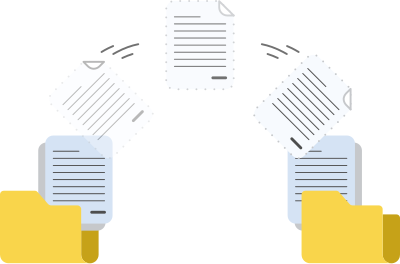
Bring your account, item, and contact details into AccountEdge easily using our QuickBooks IIF Import Tool or follow along with our DIY conversion guide to import from a text file.
Conversion Service
If you need to convert transaction history, Computer Survival, an AccountEdge Consultant, offers a conversion service that will transfer more data.
AccountEdge Support
Comprehensive technical support and customer service for AccountEdge from our expert support staff.
 Intro Support
Introductory Support is available for all new customers 60 days from enrollment.
(9am – 5pm ET, Mon – Fri)
 Email Support
Available to customers on an active subscription or support plan.
(Please allow 1 – 2 business days for a response)
 Customer Service
Ask service-related questions using our Chat icon in the lower-right-hand corner of each accountedge.com web page.

Knowledge Base
Find answers to common questions

YouTube
Get the most out of AccountEdge for your business with our helpful videos