


Eliminate Manual Work
Stop entering the same data twice. Orders, customers, and payments flow directly into AccountEdge.

Keep Inventory in Sync
Maintain accurate stock levels across online and offline sales channels.

Trust Your Financials
Gift cards, discounts, and refunds are handled correctly—so your books are always accurate.
Order Sync, On Your Terms
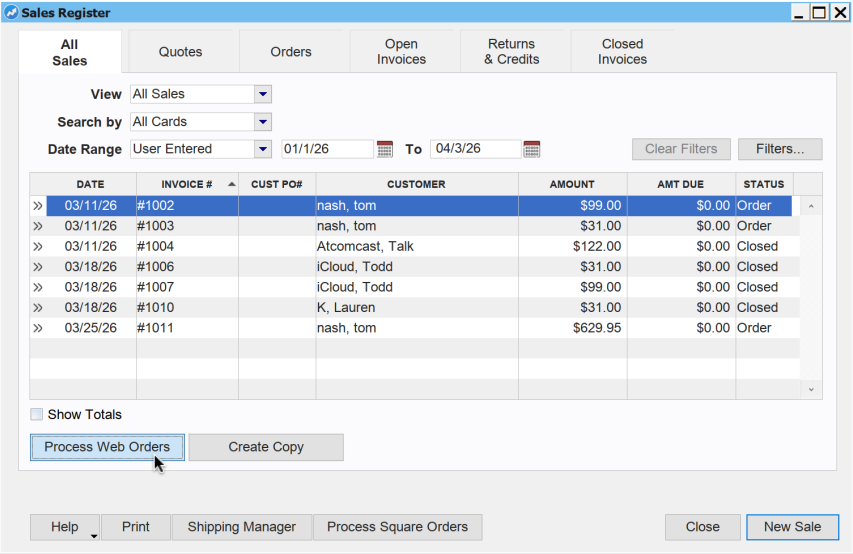
Bring your Shopify orders into AccountEdge exactly when you’re ready. AccountEdge ShopSync gives you full control over order syncing, so nothing hits your books before you initiate it. Each order is imported with complete detail, including line items, customer information, payments, and discounts. Orders become invoices when stock is available, or sales orders when fulfillment needs to be managed first.
Inventory That Stays in Balance
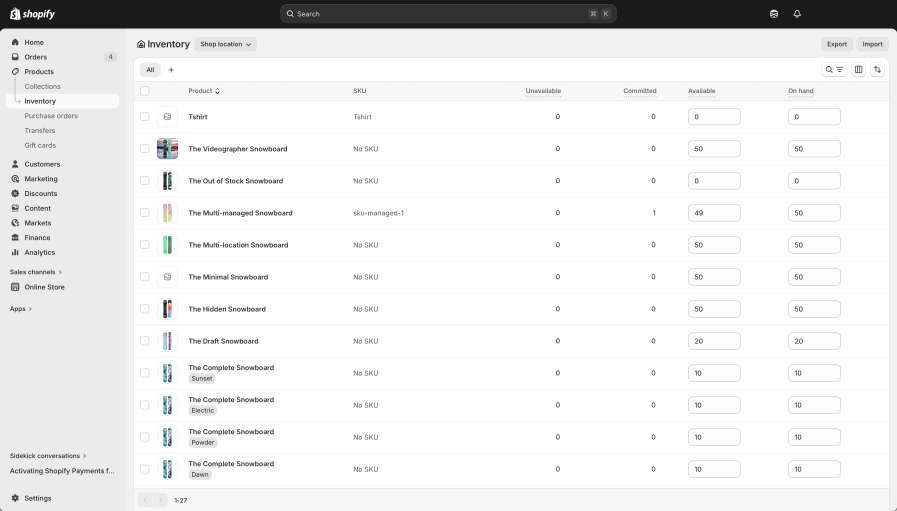
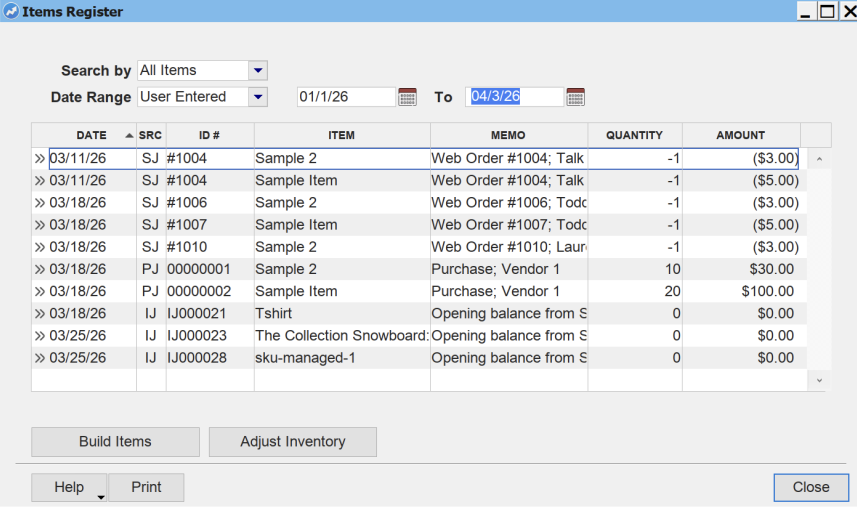
Keep your inventory aligned across Shopify and AccountEdge without the guesswork. Set reserved quantities for in-store or wholesale sales, and control exactly how much stock is available online. Product and inventory data sync in both directions, with AccountEdge always acting as the source of truth. Track items across multiple locations and keep stock levels accurate everywhere you sell.
Accurate Accounting for Every Transaction
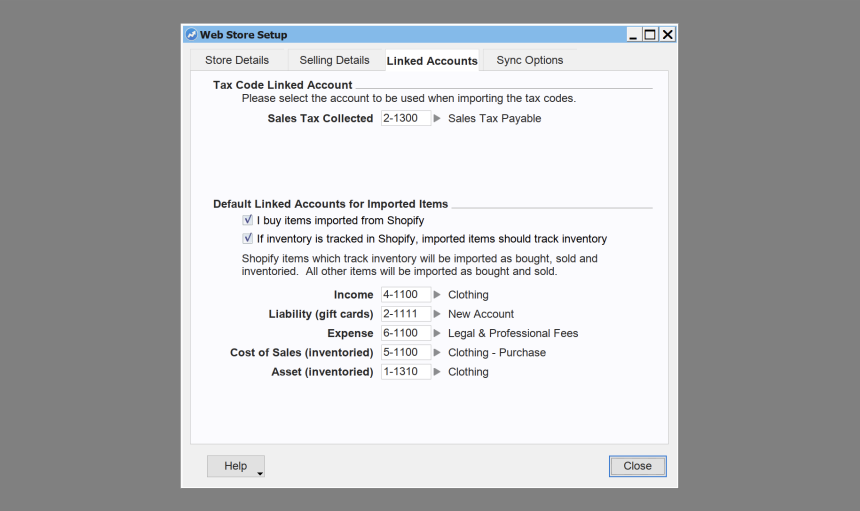
AccountEdge ShopSync ensures your financial data reflects exactly what happens in your Shopify store. Payments are matched automatically, discounts are applied correctly across invoice line items, and refunds are recorded during sync. Gift cards are handled with proper accounting treatment, posting to liability accounts and clearing when redeemed. The result is clean, reliable books without manual adjustments.
Setup in Minutes
Connect AccountEdge to Shopify in just minutes.
Step 1: Open AccountEdge, go to Setup > Web Store
Step 2: Enter your Shopify store address and click Link Web Store
Step 3: Log in to Shopify to authorize AccountEdge and click Install App
Pricing
It’s easy to sell your items online. Connect to your Shopify store with AccountEdge ShopSync for $50/month.
Don’t have a Shopify store yet, click here.
AccountEdge ShopSync
Sign up in the Shopify App Store
$50/month
Don’t Have a Shopify Store Yet?
Shopify is a powerful yet easy-to-use ecommerce platform powering millions of active stores worldwide. Choose from 100+ professional themes. The Shopify Theme Store has tons of great free and premium mobile themes to choose from. Customize the look of your website with totally flexible website designs and start selling online in minutes.

Order Sync
User-initiated sync pulls Shopify orders into the AccountEdge Sales Register as invoices or sales orders, with line items, payments, customer details, and discounts.
Invoice vs. Order Logic
Orders with sufficient stock become invoices. Orders that exceed available stock are created as sales orders so you can manage fulfilment first.
Customer Creation
New Shopify customers are created automatically in your AccountEdge contacts — no duplicate data entry. Additional option to assign all Shopify sales to one generic customer card.
Two-Way Product Sync
AccountEdge item changes push to Shopify; Shopify product changes pull back to AccountEdge. AccountEdge always wins on conflicts.
Manual or Auto Sync
Product sync can be configured to run manually or set to automatically sync each time your AccountEdge company file is opened or closed.
Product Variations
Items with size, color, or other variants sync as Shopify master products with individual variants — each with their own price, SKU, weight, and inventory.
Full Product Field Sync
Name, description, product type, tags, weight, and tax settings all sync. Images do not sync.
Inventory Sync
Set reserved quantities for AccountEdge and target quantities for Shopify. Levels update in Shopify every time you sync.
Multi-Location Support
Track inventory across multiple AccountEdge locations and align with your Shopify store’s inventory settings.
Gift Cards
Sell and redeem Shopify gift cards with proper accounting treatment — liability posting on sale, payment application on redemption.
Discounts
Shopify discount codes are applied correctly across line items on AccountEdge invoices.
Refunds & Cancellations
Refunded and cancelled Shopify orders are recorded in AccountEdge. Credit transactions from refunds must be manually settled by the user.
Sync Logging
Every sync generates a detailed log file so you can review results and troubleshoot any warnings or failures.
How do I set up AccountEdge ShopSync?
Checkout our helpful articles to get started today.
FAQs
-
What is AccountEdge ShopSync?
AccountEdge ShopSync is a dedicated online app that connects your Shopify store to your AccountEdge company file. It automatically syncs your Shopify orders, customers, inventory levels, payments, refunds, gift cards, and discounts into AccountEdge — so your books stay accurate without any manual data entry.
-
How much does AccountEdge ShopSync cost?
AccountEdge ShopSync is $50 per month, billed monthly and is available on the Shopify App Store. An AccountEdge subscription is required. There is no annual contract — you can cancel at any time from your Shopify Portal.
-
Do I need a specific version of AccountEdge to use AccountEdge ShopSync?
Yes. AccountEdge ShopSync requires the latest version of AccountEdge Pro, AccountEdge Network Edition, or AccountEdge Hosted. If you’re on an older version, you’ll need to upgrade before activating AccountEdge ShopSync. AccountEdge can be upgraded by logging into My Account and subscribing to the latest version.
-
What data syncs from Shopify into AccountEdge?
AccountEdge ShopSync syncs the following data between your Shopify store and AccountEdge:
– Orders — converted to sales invoices (or sales orders if stock is insufficient) in AccountEdge
– New customers — automatically created as customer records
– Payments — matched to the corresponding invoice
– Refunds and cancellations — recorded in AccountEdge (credit transactions must be manually settled by the user)
– Discount codes — applied across invoice line items
– Gift card sales and redemptions — posted to the correct accounts
– Product data — names, descriptions, SKUs, prices, weights, tags, and product types sync in both directions
– Inventory quantities — updated in Shopify based on your target settings in AccountEdge
Note: Product images do not sync. -
How do I set up AccountEdge ShopSync?
Setup takes just a few minutes. Open AccountEdge, go to Setup > Web Store, enter your Shopify store address, and click Link Web Store. You’ll be prompted to log in to Shopify and authorize AccountEdge. Once authorized, your store is connected and you’re ready to sync. Learn more about set up here.