
 Invoicing
 Expenses
 Banking
 Payroll
 Inventory
 Accounting
 Contact Management
 Time Billing
 Data Management
 Contact Support
 Knowledge Base
 AccountEdge University
 Find an Expert
Many switchers choose to start their AccountEdge file from scratch, excited by the opportunity to move forward with a clean slate. But, if you wish to convert some of your accounting data, there are options.
Choose a Plan that Suits Your Business Best
Most popular
AccountEdge Pro
$20
$2/Month
Save 90% for 3 months with promo code
SMBSATURDAY
AccountEdge Network Edition
$30
$3/Month
Save 90% for 3 months with promo code
SMBSATURDAY
Switching to AccountEdge
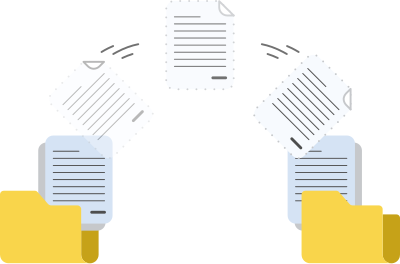
File Cabinet Method
Easily import account, item and contact data into AccountEdge as a comma-separated text file (csv). Pick your start date and that will be the day you welcome AccountEdge into your business. Keep your old system in place as a ‘file cabinet’ in case you need to access old data.
Conversion Service
If you need to convert more data (e.g., transaction history) an AccountEdge Consultant, Computer Survival, offers a conversion service that will transfer more data. Conversion Services start at $400.

Multiple Company Files

General Ledger

Sales & Invoices

Expense Management

Bank Reconciliation

Financial Reporting

Budgeting

Inventory Management

Time Billing

Payroll Processing

Contact Management

Password Protection

Free Accountant Copy

Data Backup

Office Integration
Popular Optional Add Ons
Payroll
Process payroll and access the latest federal, state/provincial, and local payroll tax rates. (e-file and direct deposit optional)
$20/month for unlimited employees
Telephone Support
Comprehensive telephone assistance for AccountEdge help from our expert support staff.
$10/month
FAQs
-
How many company files can I have with my AccountEdge subscription?
Ten company files are included in an AccountEdge subscription. Additional files are available for purchase at $10/file/month.
-
What happens if I cancel?
You can cancel your plan at any time. You will continue to have read-only access to your AccountEdge software to view information and run reports, but you cannot add new transactions. You can re-subscribe at any time to regain full access to the software.
-
Subscription but desktop? Is this desktop or cloud software?
AccountEdge Pro and Network Edition are both desktop software sold as a subscription. AccountEdge Hosted allows for full remote access to your company file via web browser. You can also use AccountEdge Connect with either AccountEdge Pro, Network Edition or Hosted, should you require additional cloud collaboration tools.
-
Will my subscription include future product updates?
Yes, all future product updates are included with your subscription.
-
What if I don’t have a constant internet connection?
You must connect to our servers at least once a month to confirm your subscription is active to maintain access. If you do not connect to the internet once every 30 days, your file will enter a 7-day grace period where you can continue working as usual within AccountEdge. Once your grace period ends, AccountEdge will go into Read-Only mode until you connect to the internet and confirm your subscription.
-
Can I upgrade my existing AccountEdge company files to the subscription version?
Yes, you can upgrade your existing company file and customized forms from any previous version.